Your notes,
as prompt cards.
Turn whatever you want to say, remember or work through into a deck of cards. Keep your own words close at hand, one card at a time.
See it in action
Coming soon to the App Store
For iPhone
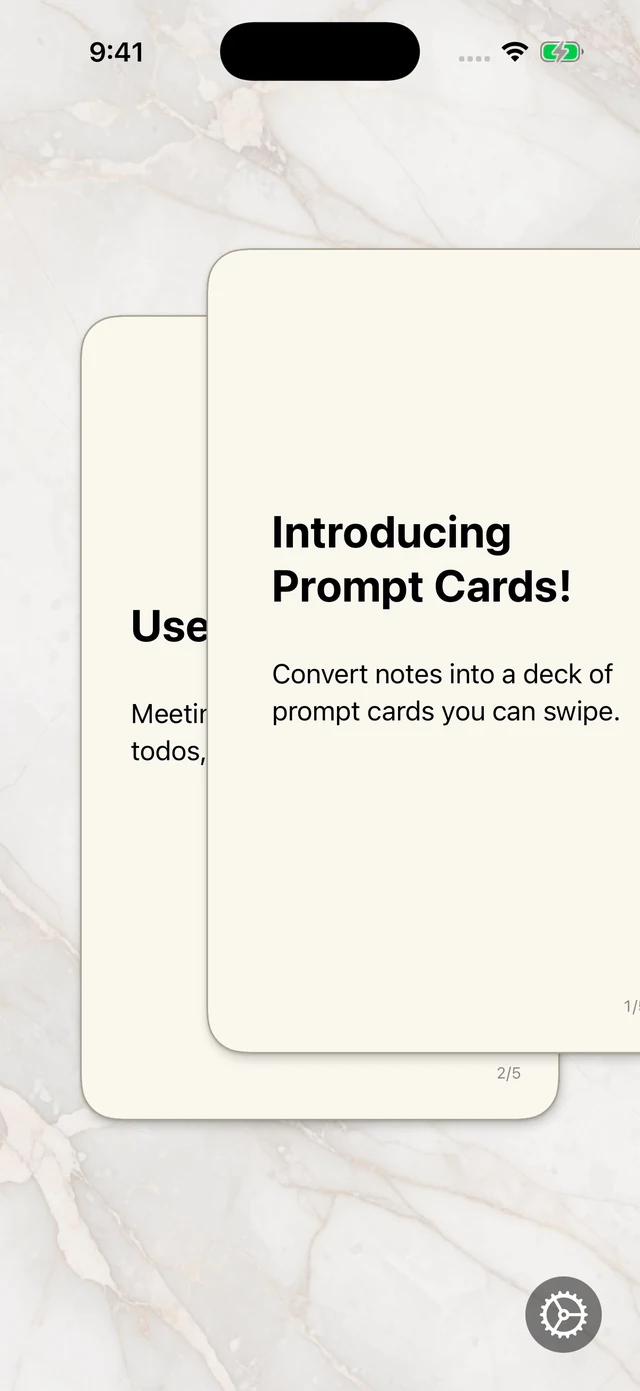
Your words. Your way.
Keep a deck for whatever matters to you. Add your own headings and details, follow the cards at your own pace, and use Undo whenever you want to go back.
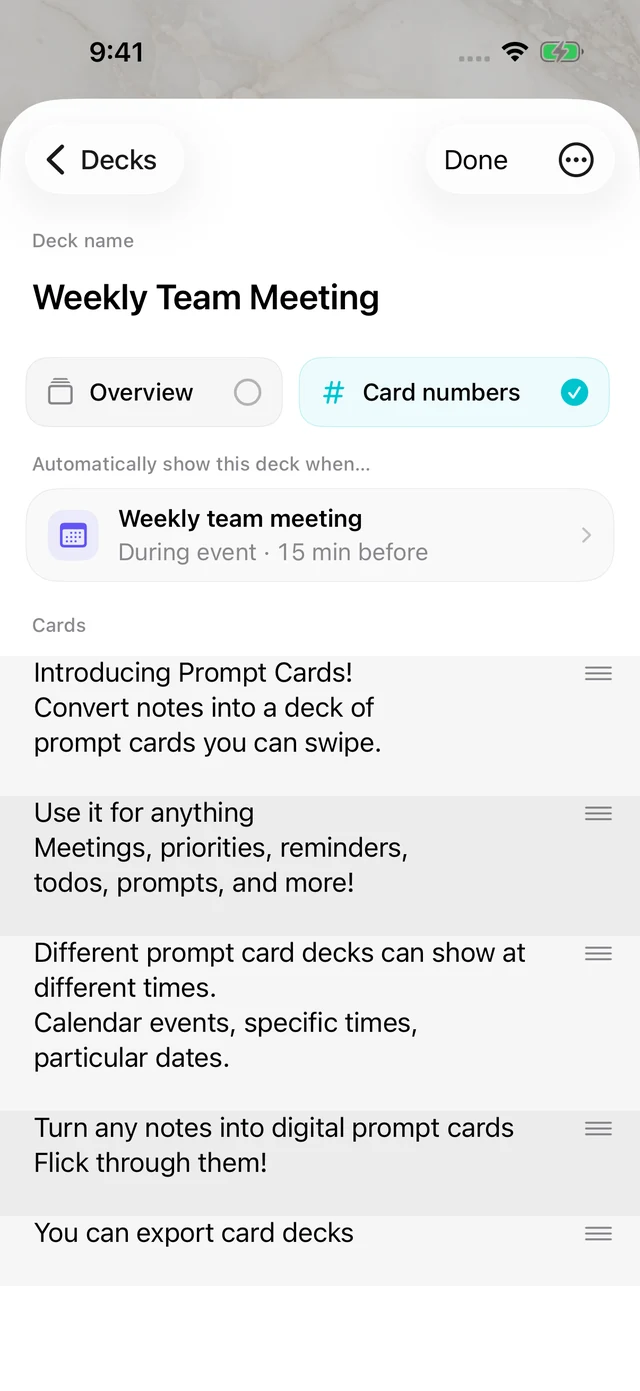
Write and edit your cards.
Start with a heading, add details underneath, then leave a blank line for the next card. Your deck takes shape as you type.
Reorder cards as your ideas change, and keep separate decks for different content. Edit and reuse them whenever you need.
Share or keep a copy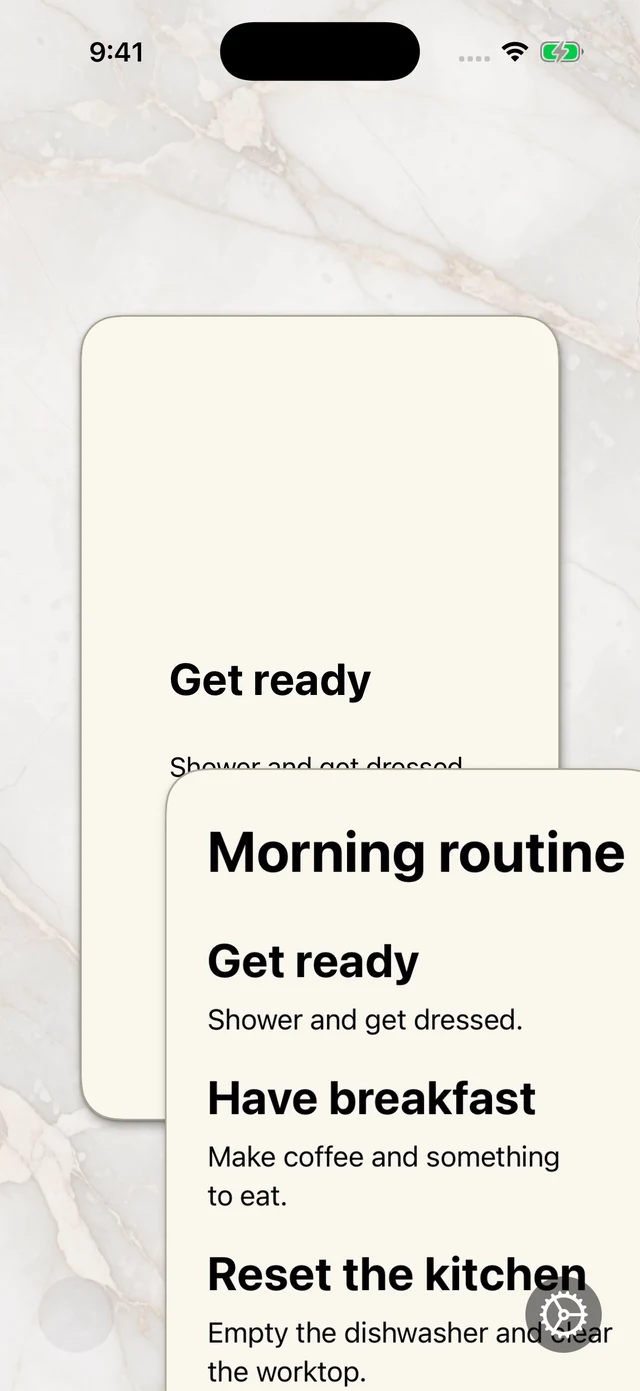
See the whole deck.
Add an overview card when you want to see all your points together, or go straight to the first card.
Optional card numbers make it easier to see where you are in the deck.
Have a deck ready.
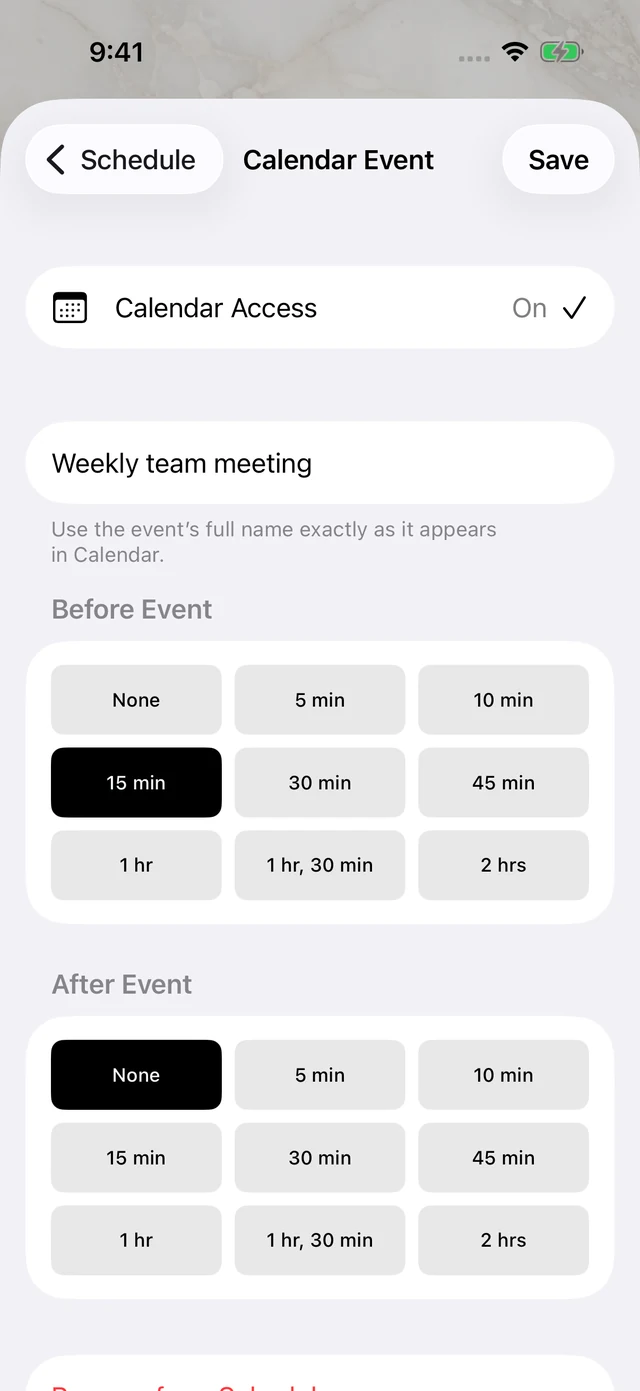
Choose a deck whenever you want, or set it to appear automatically at a time or occasion you choose.
- Time of day
- Calendar event
- Holiday
- Birthday
- Specific date
Calendar matching is optional and needs your permission. Birthday rules can use names and dates you save.
See how it works.
Watch the app in use: swipe through an example deck, bring a card back, edit the notes and add a schedule.
Save it. Share it.
Export a deck as a .promptcards file to share it, keep a backup or open a fresh copy in the app.
Your decks stay on your device, with optional iCloud sync for the decks you choose.
Read the privacy policy
Room for your
next thought.
Coming soon to the App Store for iPhone.
iPhone · iOS 17 or later
Questions? Get in touch